
Billing that doesn't stop when the internet does
A dropped connection at 1:30 pm on a Sunday shouldn't stop the counter. KwickCafe records every sale on the cafe PC first, then sends it to the cloud when it can.
How offline billing works
The cafe PC runs KwickCafe and stores everything locally. Tablets connect to it over the shop's Wi-Fi, so billing, printing and the kitchen screen keep working without internet.
Finished bills, stock movements, expenses, shifts and attendance queue on the PC. Sync runs by itself every few minutes, and Sync now is there if you want it immediately.
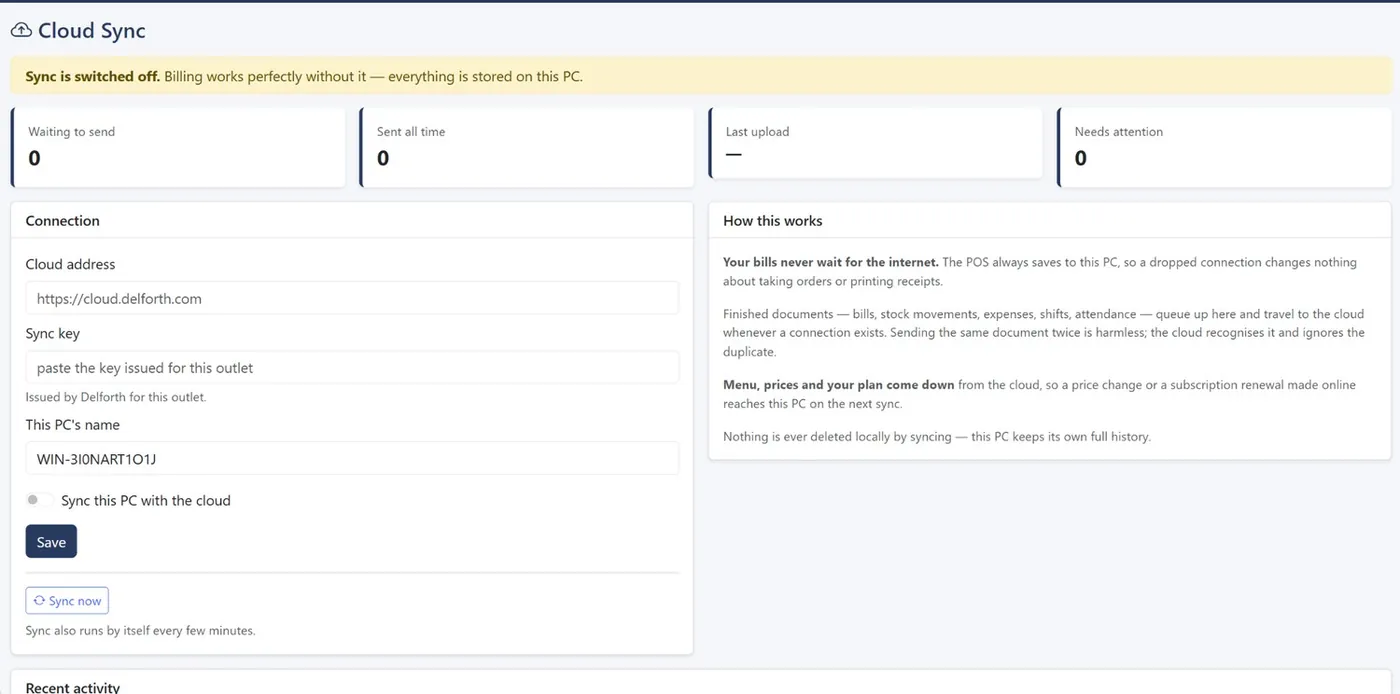
Nothing lost, nothing doubled
Every document carries a unique ID and the cloud remembers what it has already received, so a retry after a dropped connection can't create a double bill. Menu, prices and plan changes made online come down to the PC on the next sync. Nothing is ever deleted locally by syncing.
What you'll see
Online means the cloud copy is up to date. Working offline is normal: billing continues and the queue goes up when the connection returns. Needs attention means something failed repeatedly: press Retry or call support.
Common questions
Plans start at ₹999 a month plus GST. See pricing.
Which plans include offline billing?
Growth and Enterprise. Starter runs in the cloud through your browser.
Does the AI work offline too?
Yes. AI insights and the assistant are calculated on your own computer and work with no internet.
Do tablets need internet?
No. They only need to be on the same Wi-Fi as the cafe PC.
Related
See KwickCafe on your own menu
Tell us a little about your cafe. We'll set up a 20-minute demo with your items, your tax setup and your outlets, on a call or on WhatsApp.
- Call or WhatsApp+91 83868 78262 · Chat on WhatsApp
- Prefer to try it yourself?Start the 14-day free trial