
GST billing for restaurants, without the month-end spreadsheet
Set your tax basis once, and every bill, report and receipt follows it. When it's time to file, the GST report is already split the way your accountant needs it.
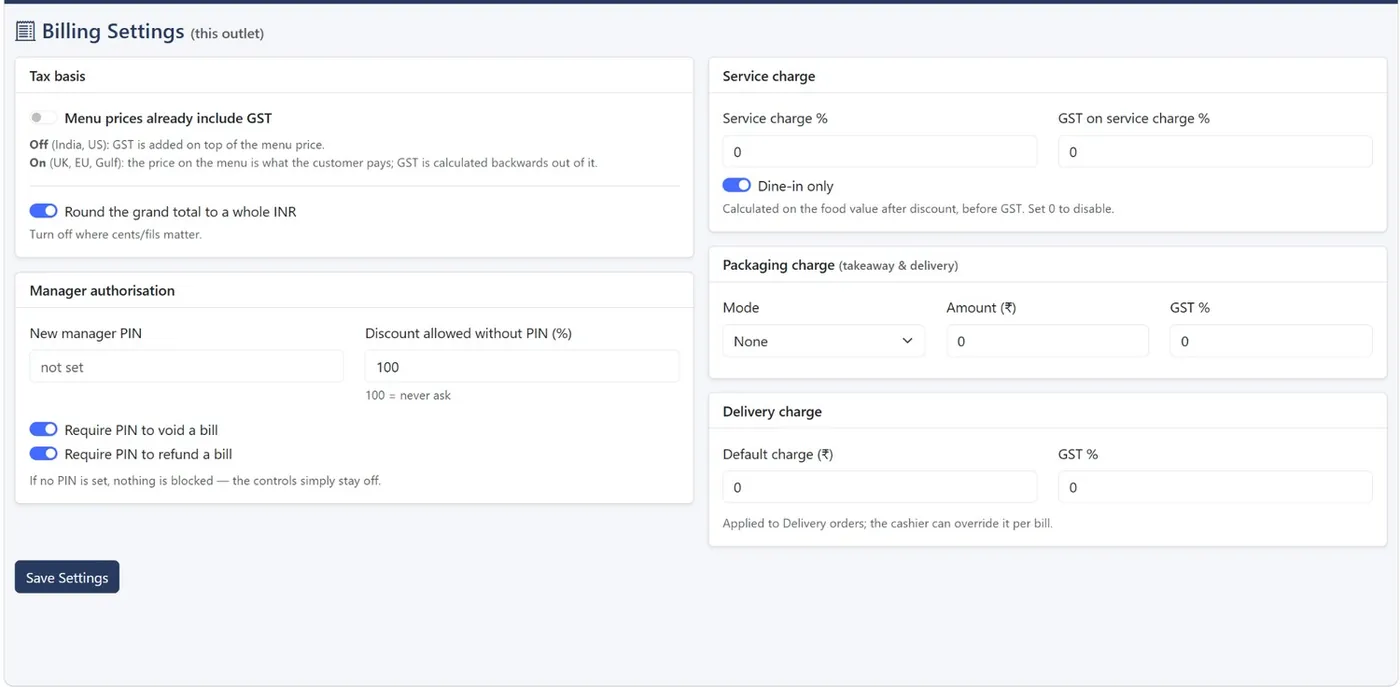
Set GST up the way your menu is priced
Choose whether menu prices already include GST, in which case tax is worked out backwards from the price, or whether GST is added on top. Set the GST rate per item, add service charge, packaging and delivery charges with their own GST rate, and round the grand total if you want.
Your GSTIN comes from each branch and prints on every receipt.
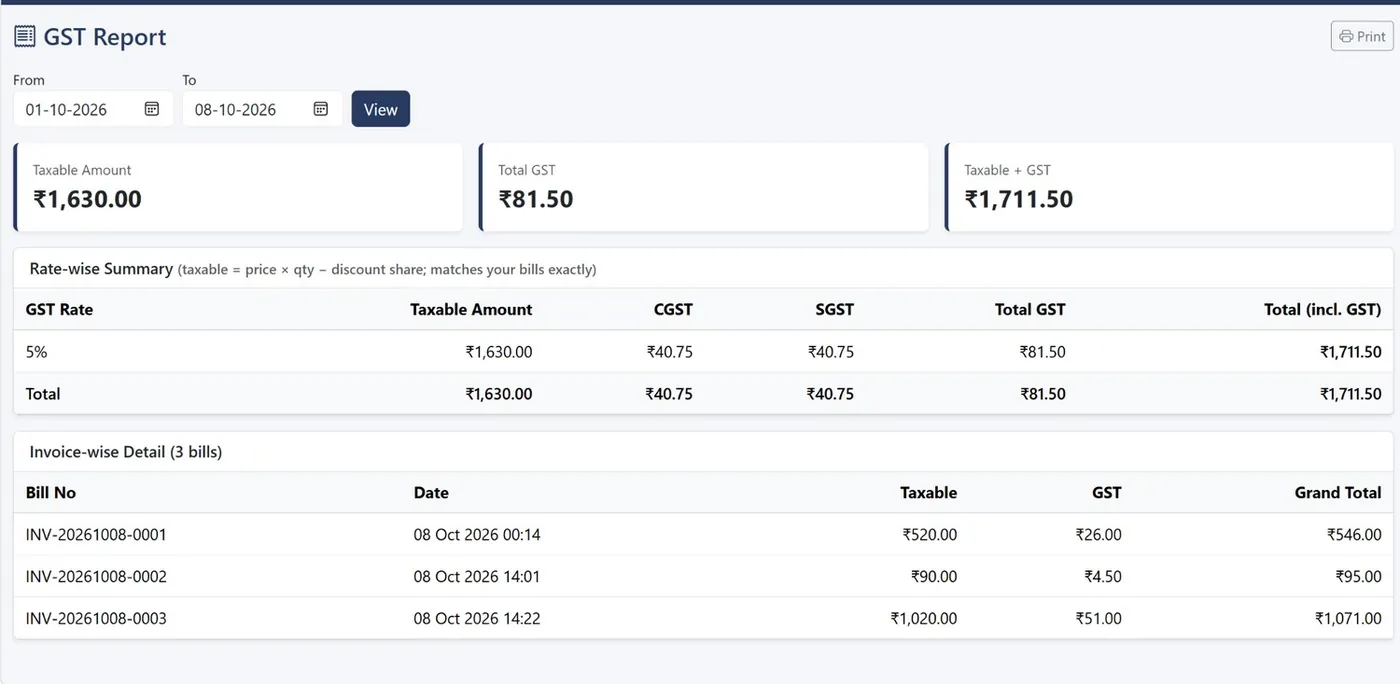
A GST report ready for filing
The tax report gives a rate-wise summary with taxable amount, CGST, SGST and total GST, followed by invoice-wise detail with each bill's taxable value and grand total. The Day Book shows GST collected per day alongside cash, digital and expenses.
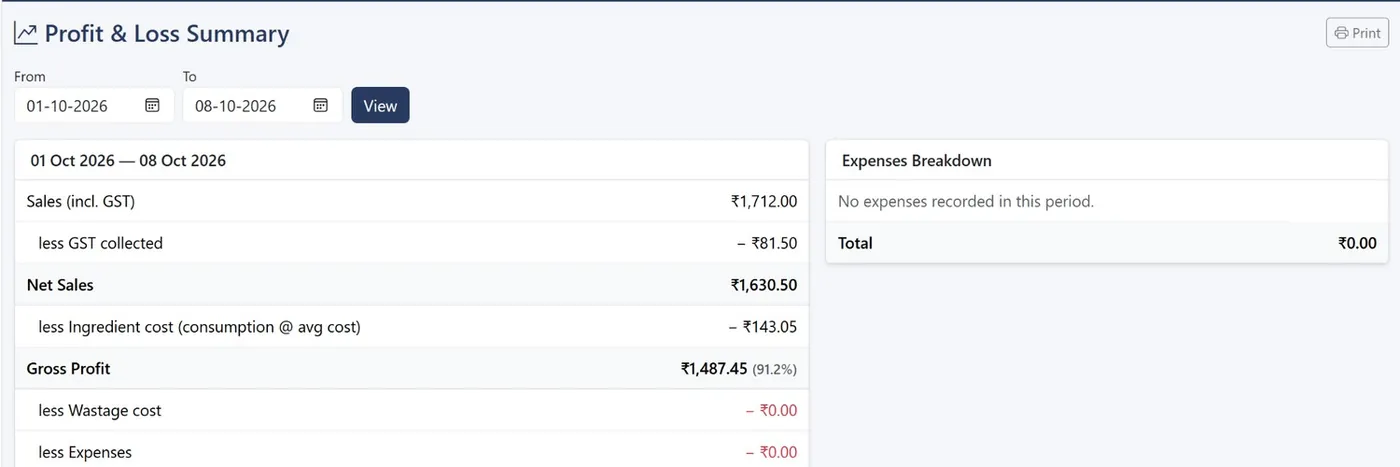
Profit after GST, not before
Profit & Loss starts from sales including GST, removes GST collected, then subtracts ingredient cost, wastage and expenses to show your operating profit.
Common questions
Plans start at ₹999 a month plus GST. See pricing.
Can menu prices include GST?
Yes. Turn on “prices include tax” and the tax is calculated backwards out of the menu price. Decide this before you start billing, since changing it later changes figures from that point on.
Does the GST report split CGST and SGST?
Yes. The rate-wise summary shows CGST and SGST separately, with invoice-wise detail below.
Can I use VAT outside India?
Yes. Choosing a country sets the currency symbol, decimals and whether tax prints as GST, VAT or Sales Tax.
Related
See KwickCafe on your own menu
Tell us a little about your cafe. We'll set up a 20-minute demo with your items, your tax setup and your outlets, on a call or on WhatsApp.
- Call or WhatsApp+91 83868 78262 · Chat on WhatsApp
- Prefer to try it yourself?Start the 14-day free trial